Jack Roberts · 21:14 · 发布 2026-07-05 · 4.6万次观看(截至抓取) · 观看原视频
主旨
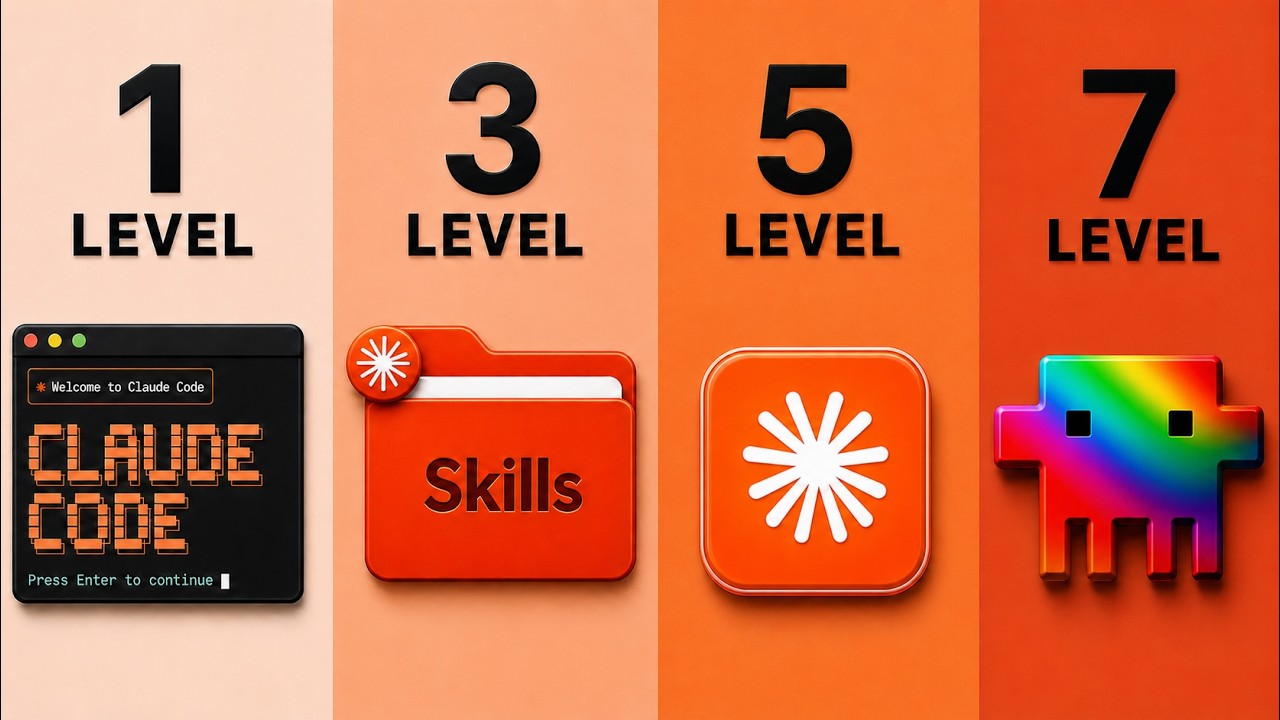
用 Claude Code 配合设计技能、参考图库、UI 组件库、图像/视频生成平台与外部数据抓取,从 Level 1 到 Level 7 把 Claude 网站逐步从”聊天框出活”推到”design extraction 一次成形”的全套递进打法,并以 Fable 5 在 Level 7 的 one-shot 演示收束。
核心论点
- “95% Claude 网站看起来是垃圾”的根因不在用户,而在 Claude 没拿到对的技能与素材——只说一句”build me a website”等于请莫扎特去一个没有钢琴的房间演奏,从第一刻起就是错的工具配错的任务。(→ 详解1)
- 七级是递进而非平铺,每一级解锁的能力可叠加到下一级——前 4 级改变”做出来长什么样”,后 3 级改变”为什么这么做、并能落地成会转化的网站”。(→ 详解2)
- Level 1(Grab And Go)只是入口,自评 3/100;Level 2(参考图)拉到 10/100;Level 3(设计技能)再继续拉,而真正的飞跃发生在 Level 4 起的素材+工具组合——作者用清晰的自评分锚定每一段的边际收益,避免读者把省力的方法误认为终极解。(→ 详解2-3)
- Design skills 是”预制说明书”,不是装饰品——UI/UX Pro Max(10w stars)、shadcn、Anthropic frontend-design、Power design、GSAP 等 GitHub 仓库里以 skill.md 形态收录的设计守则被 Claude 直接吃进,等于把”室内设计师的装修手册”装进一个原生的浏览器子系统。(→ 详解4-5)
- Level 4(OpenArt)+ Level 5(UI Snapping)解决”像素级还要不要自己抠”的问题——前者把”建模/拍摄/抠视频/抠动效”外包给多模态生成,后者把”别人做好的现成组件”以 copy code URL 形式喂 Claude 直接并入自己的项目。(→ 详解6-10)
- Level 6(Firecrawl)强迫设计服从数据,而非设计服从风格——把对手站的研究结果当作 order-of-elements / CTA / score matrix,Claude 据此重建自己的版本,这一关是从”好看”过渡到”会转化”的分水岭。(→ 详解11-12)
- Level 7(design extraction)是 7 级里最强的方法,作者称”Dr. Website”都靠它——让 Claude 从一个欣赏的网站抽取 typography / logo / 配色 / 间距 / 比例 等 design identity,再据此重建自家风格的页面,本质是用别人已完成的”视觉语言”做跳板,跳过”自己说清楚什么是好”这道所有人都翻车的认知难关。(→ 详解13-16)
- Fable 5 在 Level 7 的 one-shot 演示把”提示→出站”压成一次完成,不反复修补——作者口播”chalk and cheese”、“ebony and ivory”,意思是该路径下的差距与其它路径相比是两套视觉语言。但这条”最强”是作者口播断言,采信仍要靠空白账号复测。(→ 详解15-16)
知识点详解
1. 为什么 95% 的 Claude 网站都长得很糟 00:07
作者把”漂亮网站”这件事的根因挪到 Claude 自身:00:07 “And that’s not your fault. It’s because Claude doesn’t have the correct skills or knowledge.”——问题不在用户而在于 model 拿到的是裸的智能,没有给它设计守则。
他用一个比喻把抽象讲清:00:09 “That’s like having Mozart with no piano.”——智能 + 工具不配套 = 即便最聪明的演奏者也没法做出东西。整段视频的”七级”实际回答的是”先装钢琴,再装房间,最后请一个完整的装修团队”这一系列递进。
2. 七级体系的全貌与等级自评 01:16
这套七级不是平铺的”七个选项”,作者把它包装成”更高 = 更强”的阶梯:01:16 “we have seven levels… The big they get better the further they go up. So, they’re stronger principles. They just keep compounding.”——每一级建立在前一级的产出之上,作者强调这是 compounding(复利)的工程阶梯。
他在 Level 1 自评 01:51 “design quality is like three out of a hundred”,到了 Level 2 自评 03:08 “About 10 out of 100”——这两个 3/100 → 10/100 的分数是作者口播主观评分,意义在锚定”参考图本身就能质变”,而不是给绝对刻度。
让前四级独立、再让后三级升级到”会转化”的关键判据是 Level 6:14:40 “data… websites exist to create a customer”——前五级让人”想看”,第六级让人”想买”,Level 7 把”想看”+“想买”都归位到设计语言层。这一段是这七级里把”好看”与”实用”的鸿沟点名的位置。
3. Level 1:Grab And Go — 只说”build me a website” 01:28
Level 1 的用法是 01:28 “this user heads over to Claude and he treats it like a chatbot”——把 Claude 当聊天机器人用,只发一条自然语言需求。
他给出典型 prompt:01:28 “Hey there, Claude. I want you to build for me a simple website… that are cool about iPhones that are yellow. Build me one of those websites.”——一个 vibe prompt,没有截图也没有设计守则。
产出被作者描述为 02:27 “very, very, very basic first draft”——有 hero 区、有 iPhone 漂浮,但视觉上”classic AI website design feel”,无品牌识别。作者给这条用法留了句:01:51 “the design quality is like three out of a hundred”。
4. Level 2:Screenshots And References — 把好看的站喂进来 02:34
Level 2 的核心动作是”show, don’t tell”:02:34 “they’re going to show, not tell. Remember they say an image speaks a thousand words?”——截图 + 参考是这一级对 Level 1 的核心增量。
他的灵感来源库列了四个站:03:16 “Godly, Landbook, Awards, and Dribbble”——全是现存的设计灵感聚合站。这条用法由 03:02 “an image speaks a thousand words” 作为触发器,作者承认 Level 2 与 Level 1 之间的差距主要来自这些参考图能把”好看”具体化。
到这一步的产出被自评为 03:08 “About 10 out of 100”——仍然偏低,但作者说”wait till you see how much of a difference this actually makes”,锚点是”参考图一旦给出,Claude 才知道该往哪个方向使劲”。这一级最大价值是把 Claude 的输出从”通用模板”挪到”参考模板”。
5. Level 3:Design Skills — 把”装修说明书”装进 Claude 04:41
Level 3 的核心动作是给 Claude 装技能:04:41 “design skills… things like this… Awesome Design Skills”——技能清单以 GitHub 仓库为载体,Claude Code 通过 URL 直接 fetch 仓库内容并启用。
作者点名具体的仓库并强调其权威度:06:04 “UI/UX Pro Max skill is freaking awesome… almost 100,000 stars… 67 UI styles, 161 color palettes, font pairings”——单个 skill 包就内置 67 种 UI 风格与 161 种配色,这是 Claude 自己训练数据里没有的”密集合规设计知识”。
另一条关键仓库:06:33 “Shad in UI… when you do that, Cloud will actually go over to that repository, grab the information, and turn it into a skill that you can later activate via Claude Code”——把 shadcn 这一组件库体系装成可被 Claude 调用的 skill,而不是只读 README。
作者还引入自家社区里发布的 “Power design” 技能:07:02 “I did a lot of deep research on like, What makes design amazing?… one called power design”——他承认这是自家产物,但用”loved this research”作引子,默认它”非空降”。
注入技能的工作流本身以 prompt 形式向 Claude 下指令:06:15 “click on this code button, click on copy, head over to Claude Code and say, ‘Hey, I want to go ahead, check out this skill, then download it, and add it to your skills.‘”——把仓库 URL 喂进 Claude 即可。
6. Level 3 的产出可视化对比 07:23
Level 3 出炉的结果被作者用来当锚点:07:23 “we now have the website from level three. Now, immediately, you can tell the difference between this and what we had on level one”——视觉上与 Level 1 的漂浮 iPhone 已有档次差距。
具体能点名的元素有 07:31 “We’ve even got the Apple logo, we’ve got the centralized color palette down there… It’s even got this thing here from the Apple website”——拿到品牌识别元素 + 类 Apple 的设计语调。
但作者同时指出 07:43 “It could be a lot better. I’d want a lot more in here”——即便带技能,前 Level 3 仍未到”震撼”位,作者给的语义是”方向对、但还不到神级”,这为 Level 4-7 留出了空间。
7. Level 4:Image And Video — 打开多模态素材管线 08:43
Level 4 改名”image and video”:08:43 “when we really want to take a website to a new level, we have to think about things more than text and graphics. We have to think about image and video.”——单凭文字 + 静态图不够,要向视频/动效延展。
引入的工具是 OpenArt:08:54 “One of the tools that’s caught my eye recently is OpenArt”——一个把图像生成、视频生成、lip sync、VFX、smart shot、motion sync 集中起来的多模态生成平台。
关键不只是工具本身,而是把工具接到 Claude:09:38 “you can also connect Claude code to image generators via MCP… MCP server… Hey, go build me this website and generate for me beautiful images that will slot in and be relevant”——靠 MCP server 把 OpenArt 暴露给 Claude,Claude 一次性为整站批量生成对应素材。
作者对 MCP 集成与 Level 4 的关系给了量级评价:02:22 “Level five is a strong, but this is a very, very basic first draft”——视频后段口播里反复重申 Level 4 是”a real unlock for level four”。这一段的价值是把”pixel-perfect 自己抠”的活外包给程序化生成,不靠设计者手动抠图。
8. 在 OpenArt 里把单帧变成商品图素材 09:10
Level 4 在 OpenArt 内的具体动作链是:选择一个图像生成模型开始创作——视频里点名 09:10 “Click on Nanabanana 2”——进 Google 那一脉的图像生成模型做初版(iPhone 商品图),直接拖到 OpenArt 编辑器里做局部调整。
产出侧被作者给了一句俏皮话:10:27 “this rocket website which was done with Fable 5 and we have this one here as well which is done with the model that we use. Funny story but I just went for dinner and my in the little hour that I was away from my desktop, I came back. Fable 5 I said, ‘Where’s my phone right now?’ I was like, literally it’s crazy.”——以”出门吃饭回来 Claude 自动产图”作为效果戏剧化案例。
9. 从单帧开始生成 8 秒视频循环 11:13
视频给的进阶动作是把单张商品图作为起止帧,基于该帧生成 8 秒视频:11:13 “be a video like I’ve done loads of animated videos on websites just like this for example. So, let’s say for example we really like the look of this iPhone”——以 hero image as starting frame,在 OpenArt 里走出 video 路径。
具体路径为 11:29 “let’s actually pick a gray model. Let’s use the Kling”——选定一个视频生成模型做主驱动。作者承认产品名称 11:31 “Sedan 2.0”(字幕按口播照搬,实际指代视频模型,具体平台在视频里未展开,且 OpenArt 内可换模型)。
落地关键约束:11:49 “we’re going to want this to be 16 by 9”——首屏视频尺寸锁 16:9,让视频可被嵌入 hero section 而不裁切。
起始与终止帧锚点 12:08 “literally perfect. Like the fact that it lands in the exact same location”——同一帧的”产品回到原始位置”在很多视频生成模型里做不到,作者把这一项列为”freaking cool / cheap faff activity”,即”几乎顺手就成的事不必硬怼”。
10. Level 5:UI Snapping — 把别人的组件 copy-paste 进自己的站 12:45
Level 5 是一招少有人知道的 hack:12:45 “this is called UI Snapping”——给别人”造好的现成组件”做”塞进自己房间”的动作。
他给了一个比喻锚定14:40 “there are these libraries on the internet that have built these these sort of lines of code that are like basically publicly available and they share them online for others to use”——这些代码段公开放置,可被复制即用,本片列举四个站 13:31 “21st.dev, Codepen, Magic UI, and Mobbin”。
作者演示具体动作 13:28 “Launch balloons… come down to copy code… head over to Claude… Hey there, I’d like you to integrate this balloons feature at the bottom of the page. Integrate this, exactly.”——以 copy code URL 喂给 Claude 即可注入组件,作者强调”不需自己重写”。
UI Snapping 的边界由作者命名 13:55 “Let’s have a party, and you want these balloons to pop up. We could do that. Codepen is excellent… Mobbin… Magic UI…”——这些站可替代 Claude “从零造组件”的工作量,但反过来要承担”风格统一由人来维持”的额外责任。
11. Level 6:Finding The Data — 设计服从数据 14:40
Level 6 把”为什么要这样做”的依据挪到了外部数据:14:40 “none of it means anything if you don’t have level six down. And that is data”——前五级让人”看起来好”,第六级决定”实际能转化”。
作者给的比喻14:40 “a beautiful website that does not actually turn viewers into buyers, it is like having a Ferrari with no engine”——好看没有数据驱动等于工艺品,不是商品。
所以 Level 6 的核心问题是”找转化规律”,作者给出的路径是 15:16 “I use a tool called Fire Crawl, which is the best scraper I found for getting information from the internet”——靠 scraper 把”对方站点”或”行业标杆站点”扒下来,而不是凭设计师自己的判断。
Firecrawl 的具体能力被作者展开 15:19 “It’ll grab for you logos, typography, anything you could possibly imagine”——把视觉元素以结构化形式拿走,下一步才容易让 Claude 复刻/汇总。
12. 用 Firecrawl MCP 给 Claude 装”研究助理”技能 16:29
Level 6 的进阶用法是把 Firecrawl 注入 Claude:15:59 “I could say, I’m launching a roofing business in Leeds in the UK… find for me the 10 most successful roofing businesses in London… find me 10 ones that are not doing very well. And I want you to do for me comprehensive research… what do the winners have… scoring matrix to determine what a great website is and isn’t… clear blueprint that I can pass to another model to actually create for me a winning formula for this website.”——一段 prompt 让 Claude 调用 Firecrawl MCP,把”行业赢家/输家”两家对比,产出结构化的设计决策表。
作者强调 16:48 “use the Firecrawl MCP to do that research”——具体接入方是 Firecrawl MCP,不是本地爬虫。这也是本视频把 MCP server 上升为关键技能接入点的位置:对接 scraper 类工具,Claude Code 的资料面才能跨出训练集窗口。
13. Level 7:Design Extraction — 把欣赏的网站的语言抽出来 17:25
Level 7 是这七级里作者自评为最强的方法:17:25 “the strongest method that I have found to actually create gorgeous websites that convert is to do something called design extraction”——抽外观的工具叫”design blueprint extractor”,作者承认是 19:41 “grab my design blueprint extractor… built specifically for this under every AI automation”——自家社区里发布的 skill,你可以用作者 prompt 自己写。
这条方法的元点是:17:31 “Claude doesn’t always understand what great design is. And sometimes we don’t even understand what great design is”——人说不清”网站为什么好看”,Claude 也说不清,所以这一级需要的是”让模型自己抽出欣赏站点的语言”,再据此重建。
被抽出的元素作者明确列举:17:38 “Typography, the logos, the color scheme, the balance, the spacing, and all these different ratios”——等于字面把”看得见的风格”重写为”说得清的属性”。这条动作的工程意义是”借气质不抄内容”——抽出来的本质是设计语言,重建出来的是新页面。
14. 把 Anti-Gravity 网站抽成 Design Blueprint 18:22
Level 7 的实例演示选取 18:22 “Anti-gravity Google”——一个 Google 出的实验性单页 hero,作者说 18:22 “this is a brilliant website, genuinely”——他喜欢这个站点的”一页一念”克制结构。
抽取过程通过 prompt 描述目标网站 + skill,并把网站直接喂给 Claude:19:04 “Hey there, I’m going to give you a website. I would like to basically understand the design, and I’d like you to follow all the instructions in this file. Namely, go to this website, understand the typography, the design, and get it an extraction blueprint”——以一个 skill 加目标 URL 的最小动作触发抽取。
作者强调输出是 19:04 “extraction blueprint so that I can build a website that levels this up”——blueprint 的目的是”提升”参照站,而非”复制”。这条与 Design DNA 的”理解网站为什么好”的工程目标同构,但本片给它配了一个明确的 skill 文件——而 17 分钟搭站那篇更偏”用 prompt 临时抽出”。
15. 用 Fable 5 做 one-shot 重建 19:53
Level 7 的产出动作是交给 Fable 5 一次成片:19:53 “I’m going to show what this looks like with Claude 5. In other words, Fable 5”——同样一段 prompt,作者在 Fable 5 上跑(疑似 model 切换的口头说明,视频里把”Claude Fable 5”连着说)。
重建目标本身被替换为自家业务:19:53 “And our website is going to be on selling beautiful phones”——抽 Anti-Gravity 的语言,卖 iPhone,场景切换代表这一级抽的不只是”页面气质”,而是”让人买的同一类气质”。
这是一段与 One-Shot 范式同构的使用——作者给 Fable 5 一段 prompt + 一份 skill + 一个 URL,没有手动回改。
16. 最终的 one-shot 结果可视化 20:32
Level 7 的最终页即 20:32 “The Final One Shot Result”——作者口播里连续给出强度递增的对比 20:39 “This is night and day. It’s chalk and cheese. It’s ebony and ivory”——用三种比喻强化”差距显而易见”。
具体的视觉证据是 20:49 “Five phones, no wrong answers… It’s given it a name. It’s even managed to get this orb that is dynamically changing color”——不仅是 iPhone 列表,还带命名 + 动态视觉效果。从 Level 1 的”漂浮手机”到这里是”动态 orb + 品牌命名 + 完整资产组合”。
最后一句是 21:00 “this is where we’re at with it. Very, very, very, very impressive. Now, this is just a fraction of what we can do with Fable 5. So, if you want to learn exactly how to take your website to a new level, you need to check out this video where I’ll show you exactly how to do that step-by-step”——把整套流程收束,并把”完整工作流”导向作者另一支视频作为续作与 masterclass 入口。
可执行步骤
- 在七个 level 里挑一个你之前已经实现过的等级,先复测一遍产出,把”客观分(自评/他评/对照参考站)“写到一处——你才能以此衡量下一级是否真的”加价”。
- 找一段你最熟悉的视觉气质站,先用 Godly/Land-book/Awwwards/Dribbble 中任一站找 5 张参考图,扔进 Claude Code 让它重建一次,看与自己手动选的差距。
- 去 GitHub 上把 UI/UX Pro Max、Anthropic frontend-design、shadcn skill 这三个仓库的 URL 各粘进 Claude Code,触发 download/install skill 三步,确认 Claude Code 已经把它们列为 available skill。
- 若你常用 OpenArt,在 Claude Code 里配置 OpenArt MCP server,然后写一句 prompt:让它跑同一段网站需求并程序化生成所有 hero 图,核对生成图与网站结构 match 的比例。
- 把 Firecrawl MCP 接入 Claude Code,挑一个本地小生意行业跑一遍 10 winners vs 10 losers 的对比 prompt,确认输出是结构化 blueprint 而非泛讨论。
- 找 3 个你欣赏的网站各跑一次 design extraction(先把 design blueprint extractor 的 prompt 拿到),看 Claude 抽出来的 typography / 间距 / 配色是否真的能复用在你的下一个项目里。
- 把本片给出的整套流程在自己的工作流里固化一条口播式 cheat sheet:Level N → 工具 → 资源 → 验收口径。
关联
- 进阶:2026-06-12 Fable5 改写网站设计 同频道,讲 Fable 5 在一档”纯文字 → 复刻得奖站 → 提取 DNA 重做”的三级闯关里的能力跃迁,本片 Level 7 (design extraction) 是该篇 Level 3 的工程化升级版;先读那篇了解 Fable 5 在设计这件事上的能力上限,再读本篇了解七级递进的具体工具组合。
- 互补:2026-05-26 17 分钟搭站 同频道,讲用 Google AI Studio 2.0 + Claude Code + Firecrawl + 设计 blueprint 一次出站 + 本地截屏迭代 + Outlier 策略的完整工作流,与本片共享”Design Blueprint = brief/scaffold/tokens 三件套 + 行业前五/末五对比”的骨架;本片是 Level 7 视角的官网级应用,该篇是工具视角的端到端工作流,合读可看清”提取设计语言”这一动作的两个落点(AI Studio 一次性 vs Claude 分级迭代)。
- 互补:2026-06-04 Claude Code + MongoDB 搭客户网站 同频道,讲给客户搭带 CMS 后端网站的协作流程;本片专注于”前端的视觉与转化”七级,那篇是”搭完之后怎么交客户”的另一轴,合读可拼出”做出来 + 交付走”两半。
- 印证:Paper 概念2026-07-06 Fable 5 + Paper 里把 Figma-like HTML 画布通过 MCP 暴露给 agent,与本片 Level 4 把 OpenArt 通过 MCP 暴露给 Claude Code 的接入形态同构;两篇都印证”MCP server 是把视觉/设计工具接入 agent 的通用接口”这条主张。
- 复现:本片 Level 3/5 直接 import shadcn/ui 组件源码,正是 2026 最佳 AI 自动化技术栈 提出的 agent-readable 组件库——把组件源码而非 npm 包进项目,好让 coding agent 改得动;本片是该选型逻辑在建站场景里的具体落地。
一手来源与延伸
- Firecrawl:https://firecrawl.dev(meta description 给出,Level 6 数据抓取的 scraper 服务)
- OpenArt:https://bit.ly/4bbw4LJ(meta description 给出,Level 4 图像+视频生成平台)
- Godly:https://godly.website(meta description 给出,Level 2 参考图聚合站)
- Awwwards:https://www.awwwards.com(meta description 给出,Level 2 获奖设计聚合站)
- Land-book:https://land-book.com(meta description 给出,Level 2 网站灵感聚合站)
- Dribbble:https://dribbble.com(meta description 给出,Level 2 设计作品聚合)
- UI/UX Pro Max skill:https://github.com/nextlevelbuilder/ui-ux-pro-max-skill(meta description 给出,Level 3 设计技能仓库)
- Anthropic frontend-design:https://github.com/anthropics/claude-code/tree/main/plugins/frontend-design(meta description 给出,Anthropic 官方的 Claude Code 前端设计 skill)
- shadcn/ui:https://ui.shadcn.com(meta description 给出,Level 3 组件库体系)
- shadcn skill:https://github.com/shadcn-ui/ui/tree/main/skills/shadcn(meta description 给出,Level 3 把 shadcn 体系封成 skill 的仓库)
- Awesome Design Skills:https://github.com/bergside/awesome-design-skills(meta description 给出,Level 3 design skills 聚合清单)
- GSAP:https://github.com/greensock/gsap-skills(meta description 给出,Level 3 GSAP 动画 skill)
- 21st.dev:https://21st.dev(meta description 给出,Level 5 UI 组件站)
- Magic UI:https://magicui.design(meta description 给出,Level 5 UI 组件库)
- CodePen:https://codepen.io(meta description 给出,Level 5 代码片段)
- Mobbin:https://mobbin.com(meta description 给出,Level 5 移动端/网页设计参考库)
- AntiGravity:https://antigravity.google(meta description 给出,Level 7 演示中作为被抽取设计语言的目标网站)
- GitHub:https://github.com/(meta description 给出,Level 3 design skills 的托管平台)
- 所有资源汇总:https://bit.ly/3RNNDLa(meta description 给出,作者自家”free resources”汇总页,带 masterclass 入口)
术语
- Grab And Go(Level 1 自命名,指把 Claude 当聊天机器人用,只发一条自然语言需求就跑出来的最基础用法,作者自评 ~3/100)
- UI Snapping(Level 5 自命名,指把第三方 UI 库(21st.dev / CodePen / Magic UI / Mobbin)的现成组件以 copy-code URL 形式喂 Claude、直接并入自己项目的复用手法)
- Design Extraction(Level 7 自命名,指让 Claude 从一个欣赏的网站抽取 typography / logo / 配色 / 间距 / 比例 等 design identity,再据此重建自家风格页面的方法,作者称是 seven levels 中”最强的方法”)
- Design Skills(GitHub 上以 skill.md 形式托管的预制设计守则,被 Claude Code 通过 URL 加载后启用;本片列举 UI/UX Pro Max、shadcn skill、Anthropic frontend-design、Power design、Awesome Design Skills、GSAP 等)
- Design blueprint extractor(作者自家社区里发布的 skill,把目标网站预览图 / HTML 骨架 / 既往案例整理为结构化 design DNA 文件,作为 Level 7 的中间产物)
- Hero 图→视频循环链(把单张商品图作为起止帧,在 OpenArt 上生成 16:9 的视频作为 hero section 背景的视觉打磨模式)
- Reference Site Library(本片列举的灵感参考聚合站:Godly / Awwwards / Land-book / Dribbble)
- UI Component Library(本片列举的现成组件站:21st.dev / CodePen / Magic UI / Mobbin)
- Hero 图(Image,首屏主图,Level 4 的 OpenArt 图像生成主要服务于 hero 图;Level 5 的 UI Snapping 组件也以 hero 类动效作为典型用途)
- OpenArt(图像/视频生成平台,把多种多模态模型放进同一个 UI 内供用户切换;Level 4 的主要工具,通过 MCP 接入 Claude Code)
- Firecrawl MCP(Firecrawl 的 MCP server 实现,Level 6 用来让 Claude Code 调 Firecrawl 抓取/分析外部站点与品牌身份)
- Nano Banana 2(本片所提的图像生成模型,字幕按口播照搬”MicroBanana 2 / Nanabanana 2”,Google 同一脉的产品,与索引Nano Banana 对应)
- Power design skill(作者在视频中点名自家社区的 skill,作者承认是自家产物)
- Anti-gravity(Google 的官方实验站,本片 Level 7 演示中作为被抽取 design identity 的目标网站,与索引Antigravity 对应)
- MicroBanana(字幕误听,对 Nano Banana 2 的别称,与索引Nano Banana 对应)
- the script / god-level-discharge errors(口播中”The script”、“magic”、“scratch”等非术语词,均不收录)
- 内部 masterclass 入口(视频里多处出现”the full Hermes Agentic Masterclass”和”the full Clo Code Agentic Masterclass”的提示,引向作者自家课程的 bit.ly 链接)
金句
“And that’s not your fault. It’s because Claude doesn’t have the correct skills or knowledge. That’s like having Mozart with no piano.” (00:07) — 把”网站不好看”的归因挪到 Claude 自身而非用户,这是全片”七级递进”的存在理由;同时也定义了”安装技能”在这套打法里的相对位置——智能主体先在,工具/技能后补。
“we have seven levels… The big they get better the further they go up. So, they’re stronger principles. They just keep compounding.” (01:16) — 用 compounding 把七级包装成复利阶梯,而不是平铺的”七个选项”;这条直接决定了读者该以”升一级再升一级”而非”挑一个 level 跑”的心智用这套流程。
“the strongest method that I have found to actually create gorgeous websites that convert is to do something called design extraction.” (17:25) — 在 Level 7 之前的所有招数都被作者明确定位为”好看”,只有 design extraction 被定位为”既好看又转化”;这条是判别”前六级做了等于没做”和”Level 7 才进入正题”的关键作者声明。
“This is night and day. It’s chalk and cheese. It’s ebony and ivory” (20:39) — 三种比喻叠用以强化”Fable 5 + Level 7 one-shot”与之前任何路径之间的不可类比性。但作者没给量化指标(用户投票、回归测试、A/B),采信时按”演示好看”理解。
立场与利益
- 与利益同向:作者把”Fable 5 + 七级体系”作为自家 Masterclass 入口的整套演示都搭在 masterclass 与 free resources 之上(meta description 顶部”📈 ALL Systems: https://bit.ly/4kol0y5”与”🩵 Free Resources: https://bit.ly/3RNNDLa”均为 bit.ly 短链);视频中复述的”Level 7 设计语言抽取”的具体工具是作者自家社区(每 AI 自动化)发布的 design blueprint extractor——这些”最优方法”的客观性需要外部印证,采信前建议换一个未购买 masterclass 的账号复测一遍,确认 Level 7 流程在没有自家 skill 的情况下能否跑通。
- 利益中性:Level 2-6 的资源链接(Godly / Awwwards / shadcn / UI/UX Pro Max / Firecrawl / OpenArt / 21st.dev 等)均是 meta description 里给出的、来自第三方供应商的公开资源,与作者的 masterclass 商业化相对独立;Level 1-3 的”加技能前后差距 3/100 → 10/100”虽然带主观打分,但”加技能显著拉高质量”为通用机制描述,按内容本身采信。
- 利益反向:本片未出现明显的反利益主张;最接近的是 06:15 “drop in the URL, come back over”这种把第三方仓库”如何使用”讲得非常细,而自家 skill(Power design / Design blueprint extractor)只占一两句话的相对克制,作者没特别推销自家产物。
- 利益证据:meta description 里至少四个 bit.ly 短链指向作者 masterclass 与 free resources;视频里反复提到”grab that beautiful coffee and let’s have straight in”以及”this is the stuff that’s working right now”等口播强化视频是销售漏斗的”前 N 分钟免费”环节。
价值定位
- 适合谁:已经在用 Claude Code 但网站总在 70/100 分上下的开发者(用本片七级找拉分点);已经在做 vibe coding 但缺乏设计素材与组件库的独立开发者(用 Level 4-5 补缺);想做客户网站的代开发者(用 Level 6-7 把”好看”+“转化”两条线并到一个流程里)。
- 解决什么:把”莫扎特没钢琴”的资源稀缺问题用一个 7 级资源表包起来(Level 1-3 配技能、Level 4 配生成、Level 5 配组件库、Level 6 配数据、Level 7 配设计语言抽取),并把 Fable 5 作为最高能力乘子放在最后一级。
- 认知 vs 实操:认知层给出”七级递进、compound 起来”的工程模型,把”好看”与”会转化”分别放在前五级与后两级的边界上;实操层是把每级对应的资源链接按上面「一手来源与延伸」清单直接拿来用,加上把 MCP server 用于接入 OpenArt / Firecrawl 这种”把外部工具纳入流程”的工程动作。
- 与 2026-06-12 Fable5 改写网站 重叠但本片独有:七级递进的完整等级体系(Level 1-7 的全部能力跃迁),Level 4 用 OpenArt MCP 做图像生成、Level 5 用 21st.dev/Mobbin 等做 UI snapping、Level 6 用 Firecrawl MCP 做行业对比研究、Level 7 用 design extraction skill 从一个欣赏站重建自家风格——这四级工程组合在前片里只有”提取 DNA”被点名,其余三级(OpenArt / UI snapping / Firecrawl MCP)均为本片新增。
自检问题
- 作者为什么把”95% Claude 网站看起来是垃圾”的归因从用户挪到 Claude 自身?这条归因对七级体系的存在必要性起了什么作用? 答案:作者在 00:07 明确说”it’s because Claude doesn’t have the correct skills or knowledge”,用 Mozart 没钢琴做比喻,把根因挪到”裸的智能 + 无工具/技能”——这一归因直接定义了七级体系的存在理由:不是用户不会用,而是 Claude 在缺少 skills/素材/数据的情况下不可能出好站,所以必须按七级依次补资源。00:07
- Level 6 数据驱动与其它六级的本质区别是什么?为什么作者把”没有 Level 6 就一切等于零”提得这么高? 答案:作者在 14:40 给出核心比喻”a beautiful website that does not actually turn viewers into buyers, it is like having a Ferrari with no engine”,把 Level 6 定位为”会转化”分水岭,而不是”好看”分水岭——前五级只让人”想看”,Level 6 用 Firecrawl MCP 抓行业赢家/输家做对比、产出 ordering / CTA / score matrix,Claude 据此重建,让设计服从数据而非服从风格,这也是从工艺品过渡到商品的关键判据。14:40
- Level 7 的 design extraction 与前面 Level 2 的”screenshots and references”本质区别在哪?为什么作者说 Level 7 是七级里”最强的”? 答案:Level 2 是”给一张图让 Claude 学习样子”,抽出来的是表面气质;Level 7 是”让 Claude 从网站抽出 typography / logo / 配色 / 间距 / 比例 等 design identity”,抽出来的是设计语言。两者区别在 Level 7 抽的是”为什么好看”的可复用属性而非”看起来好看”的具体表现,作者在 17:25 把它定位为七级里最强的方法,因为它让人能跳过”自己说清什么是好”这道翻车率极高的认知难关。17:25
- UI Snapping(把别人组件塞进自己站)在工程上能跑到多深?为什么作者演示的是”插入气球”这种视觉而非”插入布局”? 答案:作者演示 21st.dev 上”Launch balloons”组件以 copy code URL 形式注入自己网站(13:28 起),之所以选”气球弹出”这种视觉动效而非整页布局,是因为:1) 单个组件视觉影响局限于一个区域,与原站点设计冲突面积小;2) 视觉动效容易用”是否弹出”做验收;3) 跨站布局级 snapping 会牺牲品牌识别,反而违反”借气质不抄内容”原则。所以 UI Snapping 在工程上的深浅主要由”风格统一由人来维持的额外责任”决定——用它做动效/视觉模块安全,用它做整页替换危险。13:28